
Everything your demo needs.
One app.
FlowFrame records your screen, or uses footage you have, and turns it into a narrated explainer video — landscape or portrait, all on your Mac.
What You Get
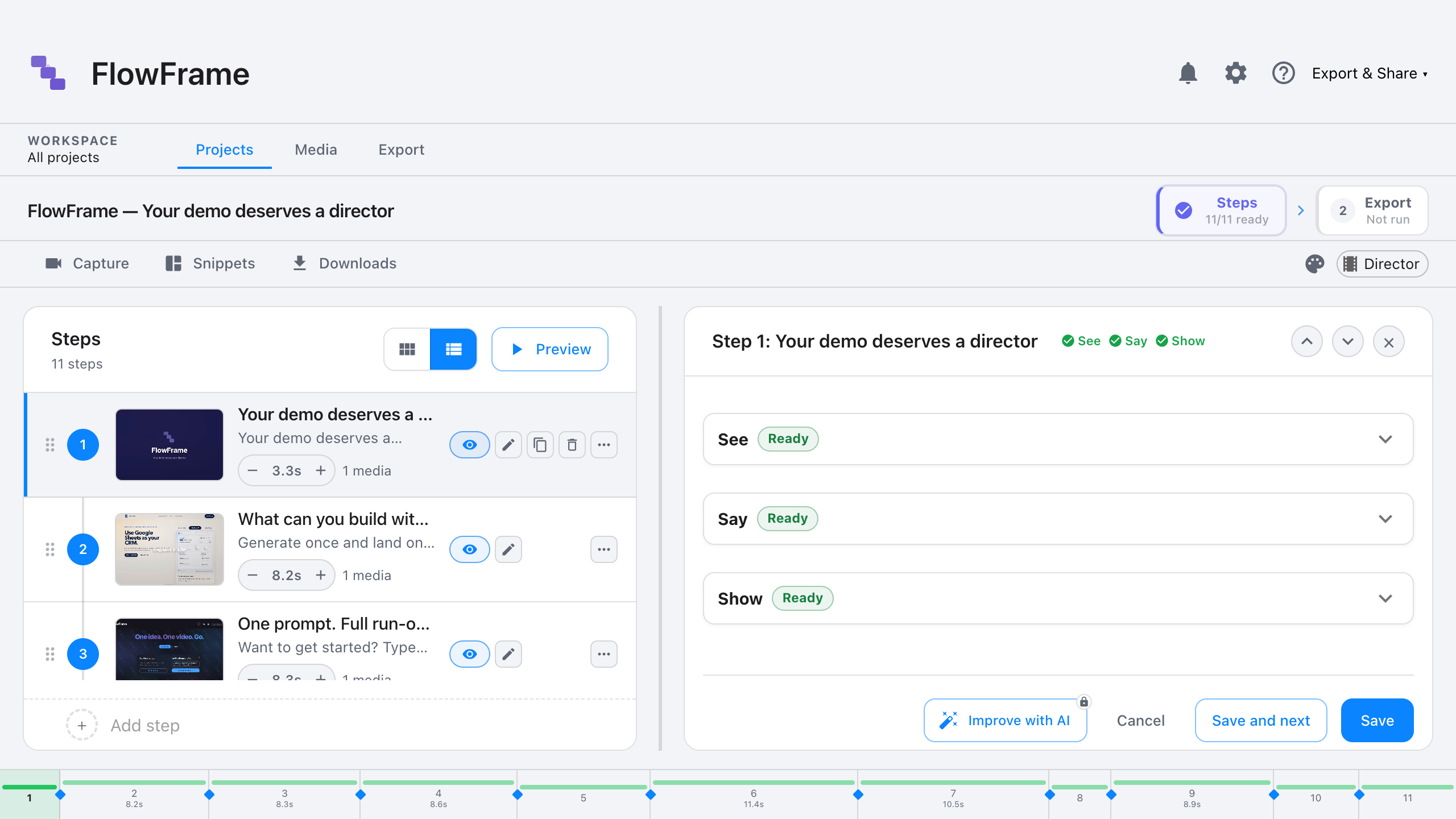
Edit by step, not by timeline
Drag scenes, not frames.
Capture without re-login
Smooth zoom, scroll, session-aware.
Narration in one click
Eight voices, auto-timed to every step.
Catch issues before you send
Red/yellow/green per step, with the fix included.
Your machine, your keys, your data
Nothing pipes through our servers.
Export anywhere
MP4, GIF or HTML — landscape for your site, portrait for socials.
On your brand
Point it at your site. Logo, colors and lower thirds, applied throughout.
Or bring your own footage
Import clips you already have, or pull a segment from a video online.
Hand the keys to an AI agent.
FlowFrame's MCP server exposes 100+ tools to Claude Code, Cursor, and Codex. Same prompt, finished project. Your AI keys stay on your machine.
You: Make a 60-second tour of our settings page.

Claude: Capturing the settings flow...
        Generating narration...
        Scoring with the Director...
        Exporting MP4. Done.
Every tool your agent can call
107 tools, grouped by what they touch. Generated from the source, so this list is what the server actually exposes — not a number someone remembered to update.
Capture 26
Drive screen, window, browser, simulator and camera capture.
capture_attributioncapture_audio_diagnosticscapture_clear_sessioncapture_clickcapture_doctorcapture_ensure_playbackcapture_evaluatecapture_fillcapture_hovercapture_keypresscapture_markcapture_mouse_movecapture_navigatecapture_readinesscapture_screenshotcapture_scrollcapture_typecapture_wait_and_recordclose_captureexecute_capture_planis_capture_activelaunch_capturelaunch_electron_capturelist_capture_sourcesstart_capture_from_urlsuggest_capture_plan
Projects & export 15
Create projects, apply branding, render and verify exports.
apply_branding_from_urlarchive_projectclone_projectcreate_projectexport_gifexport_manifestexport_videoflowframe_quickstartget_projectget_project_timelinelist_exportslist_projectspreview_branding_from_urlset_project_themeupdate_project
Steps & timeline 17
Build and reorder the run-of-show, effects and lower thirds.
add_step_sfxcreate_stepsdelete_stepget_step_durationsget_step_effectsget_stepsinsert_steplengthen_stepreorder_stepset_lower_third_configset_step_durationset_step_effectsset_step_lower_thirdsuggest_transitionstrim_stepupdate_stepupdate_steps
Media 26
Import, search, trim, scale and attach visuals and audio.
add_sound_effectattach_media_to_stepbackfill_visual_queriescleanup_orphaned_mediaconcat_mediaconcat_videoscrop_videodelete_mediadownload_clipget_media_durationimport_mediaimport_media_from_urlimport_media_from_youtubelist_mediarename_mediascale_videosearch_for_mediasearch_musicsearch_visualsset_background_musicsplit_capture_into_stepssplit_videosuggest_visuals_for_stepstrim_videoupdate_media_metadataupload_local_media
Narration 5
Generate or refine the voiceover and fit it to the cut.
auto_fit_step_durationsdeflatten_narrationgenerate_narrationimprove_narrationwrite_arc_narration
Director & quality 13
Score the cut, diagnose problems and apply fixes.
create_run_of_show_draftcritique_as_film_criticdiagnose_audiodirector_improve_focusdirector_rewriteevaluate_as_directorlint_projectreconcile_media_referencesrestructure_as_directorreview_step_suggestionsrewrite_toursuggest_step_contentvalidate_media_references
Snippets 2
Reusable branded intro, outro, section and credits cards.
generate_snippetlist_snippets
Video analysis 3
Describe footage so steps can reference what is on screen.
analyze_videoget_video_analysislist_video_analyses
Your video gets a quality score before you send it.
Red, yellow, green per step. The Director names the weak spots and includes the fix. No more guessing if it's ready.

Works without an AI key.
No API key, no subscription, no internet round-trip. The core editor, capture, and export pipeline are 100% local — AI keys only unlock the optional superpowers below.
Cinematic capture
Screen, window, browser tab, iOS Simulator, iPhone Mirroring, camera, mic. Smooth zoom + session-aware.
Record your own narration
Type the script, hit record, your voice lands on the step. No AI required to ship a narrated video.
Step editor + timeline
Drag, trim, reorder. Background music, lower-thirds, transitions, cursor effects — all built-in.
Reusable snippets
Build branded intro/outro cards once. Drop them into any project with a click.
Export anywhere
MP4 to share. GIF for Slack. Interactive HTML with synced audio, autoplay, and the typing effects baked in.
Local-first by default
Footage, projects, exports stay on your Mac. Nothing pipes through our servers, ever.
Superpowers unlocked with your AI keys
Bring your own keys to add the Director, AI narration, agent automation, and more. Same app, more horsepower. Keys stay on your machine.
OpenAI
AI narration (8 voices), drafts, Director scoring
AI providerAnthropic
Drafts, Director scoring, content suggestions
AI providerGemini
Video analysis, dead-air detection, Director scoring
AI providerYouTube
Clip search and import
OptionalPixabay
CC0 image and GIF search
OptionalFreesound
Creative Commons background music
OptionalYour demo deserves a director.
Connect your keys and go. Your first video is ready in minutes.