
Your demo deserves a director.
You need an explainer video. FlowFrame records your screen, or uses footage you have. Let an agent build it, or finish it yourself.
- Landscape or portrait — your site and socials
- Claude Code, Cursor or Codex — drive it over MCP
- On your brand — your logo and colors
This video was made with FlowFrame.
macOS 12+ · Works with no setup. Add your own AI key (OpenAI, Anthropic, or Gemini) to draft from a prompt and unlock the full Director review.
How It Works (in minutes, not hours)
Start from a template or an idea
Copy a finished example and swap in your own screens — or type what the video should cover and let FlowFrame draft the outline.
Capture and give it a voice
It records your screen. Record the voiceover yourself, or generate one that matches what's on screen.
Export and share
Score the cut for pacing and clarity before you send it. Fix what it flags, then export to MP4, GIF, or HTML.
Watch the full tour
A release walkthrough, end to end — recorded, narrated and scored in FlowFrame.
This tour was made with FlowFrame.
See it up close
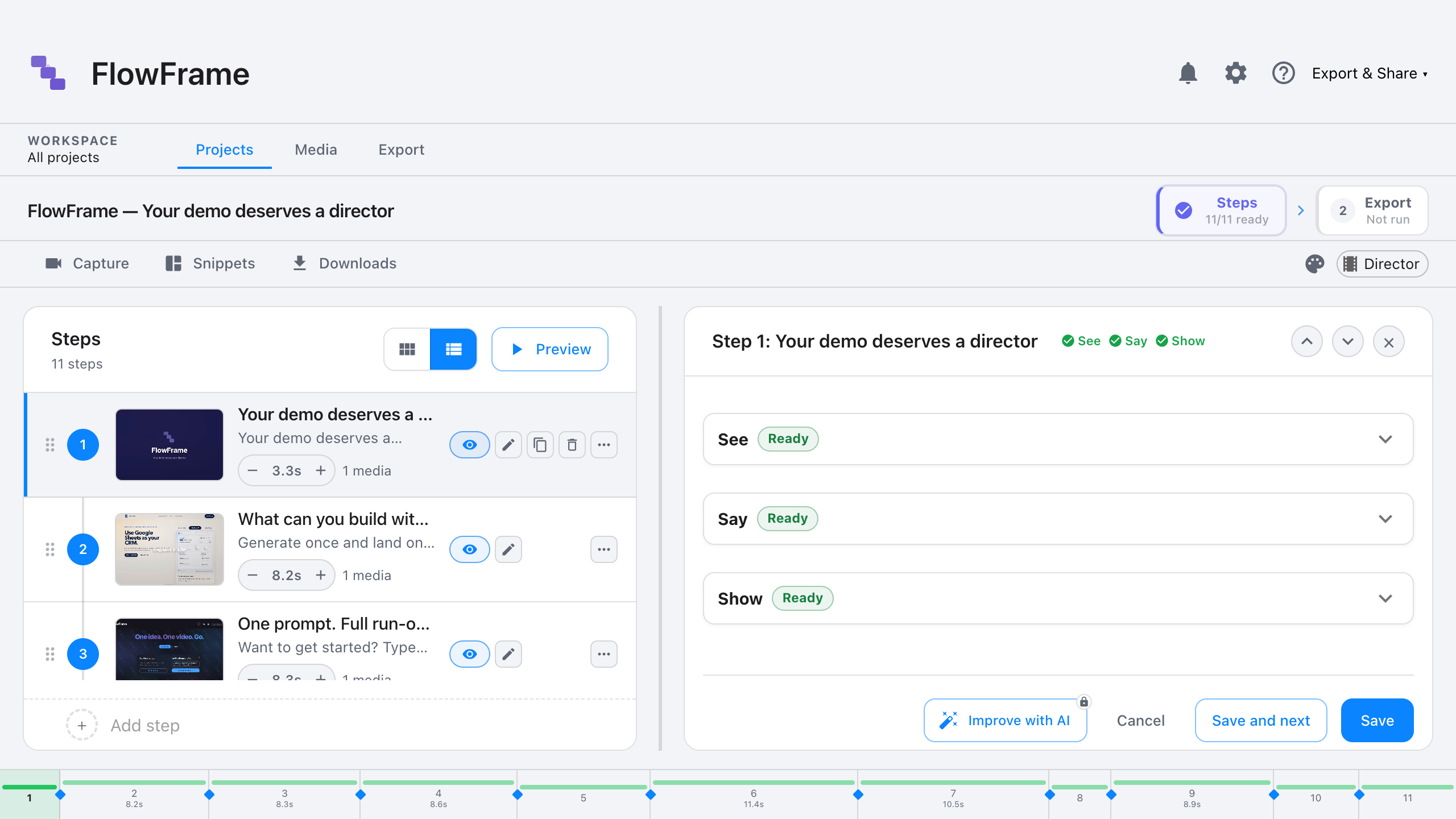
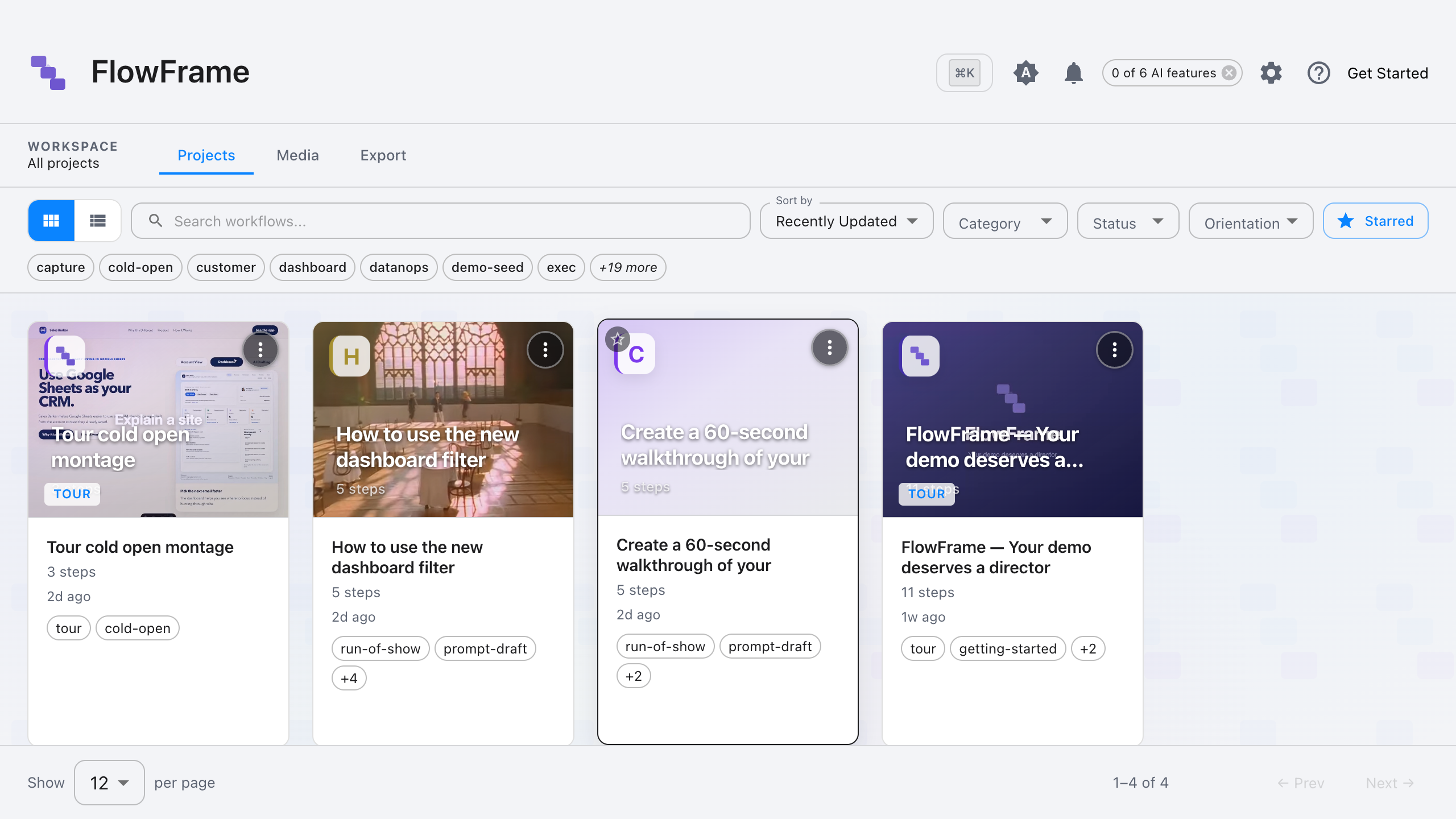
The step editor: each step is a scene with what to show, say, and display.
Start from a finished example
Every copy ships finished — real screens, real narration. Copy one, swap in your own recording, export. No API key needed for any of this.
What shipped this week
Turn a release into a 60-second update your team actually watches.
Post-demo recap
Send a personalized recap while the demo is still fresh.
Agent-built release tour
Hand your release notes to an AI agent and get a walkthrough.
Feature drop
Turn a release into a vertical clip for LinkedIn and Shorts.
Already using Claude Code or Cursor? Connect FlowFrame over MCP and your agent builds the video — no AI key of your own required. See the developer setup →
Your demo deserves a director.
Make the video your release needs, for your site or your customers. Free 7-day trial, then $49 one-time. No subscription.